
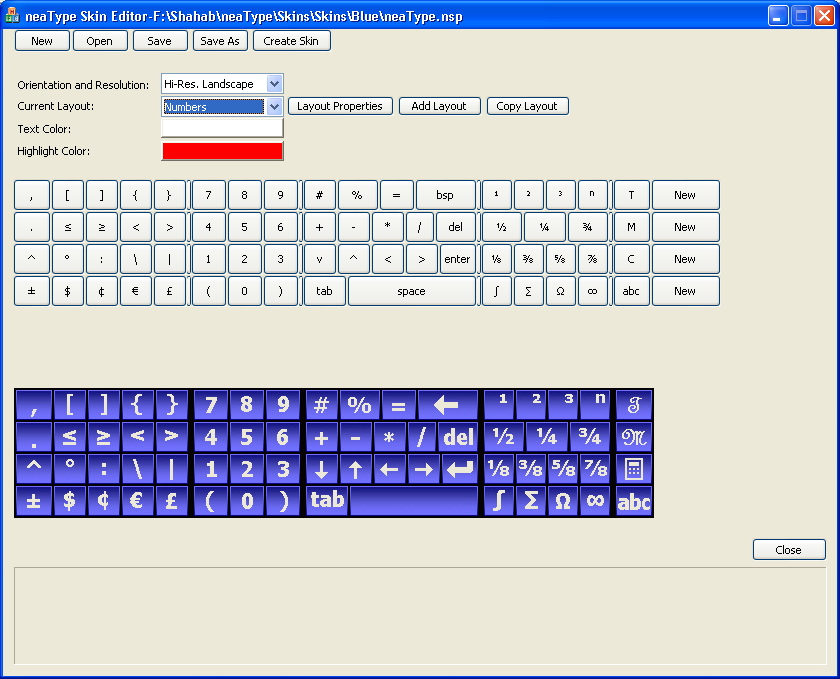
Using the neaType Skin editor you can edit the existing predefined layouts and skins or create
new ones. You can download the source project files for the predefined skins and edit them to
create your own keyboard layouts and skins. These project files also work as examples that help
you learn the process of creating a new skin file. Using the Skin Editor you can create layout for
your language of choice. There a lot of possibilities. For example you can create a skin that has
the keyboard layouts for English and French at the same time.
After creating, a skin file (*.nsk), you can copy it to the "Skins" folder in the installation
directory of neaType on your device, and select it from the skins page of neaType Settings dialog
box. For more information refer to the neaType help that comes with your neaType installation.
|
|
Download neaType Skin Editor |
|
|
Download neaType Skin Editor Sample Projects |

| Copyright © 2006 Shahab Hamidi-Rad. All rights reserved. | Last update: 11/11/2006 |