neaType Skins:

neaType’s layouts and skins are stored in "*.nsk" files and are created by neaType Skin Editor. Several skins are predefined and available for download. You can also download neaType Skin Editor and create your own keyboard layouts.

After downloading a skin file, you should copy the file to your device. Using ActiveSync (or a Flash memory card) copy the downloaded file to the following folder on your device:

/program Files/neaType/Skins

To activate the new skin, go the to Skins page of neaType Settings dialog box and select the new skin.

Here is gallery of available skins.


English Blue Skin for QVGA resolution (96 dpi)
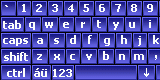
EnglishLoBlue.nsk
English Gold Skin for QVGA resolution (96 dpi)
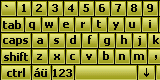
EnglishLoGold.nsk
German Blue Skin for QVGA resolution (96 dpi)
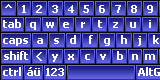
GermanLoBlue.nsk
German Gold Skin for QVGA resolution (96 dpi)
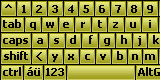
GermanLoGold.nsk
English Blue Skin for VGA resolution (192 dpi)
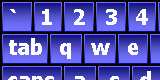
EnglishHiBlue.nsk
English Gold Skin for VGA resolution (192 dpi)
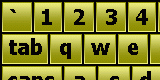
EnglishHiGold.nsk
German Blue Skin for VGA resolution (192 dpi)
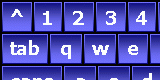
GermanHiBlue.nsk
German Gold Skin for VGA resolution (192 dpi)
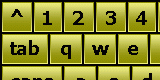
GermanHiGold.nsk

Home Features Download  Register 


Copyright © 2006 Shahab Hamidi-Rad. All rights reserved. Last update: 11/11/2006